About Hermit — Lite Apps Browser
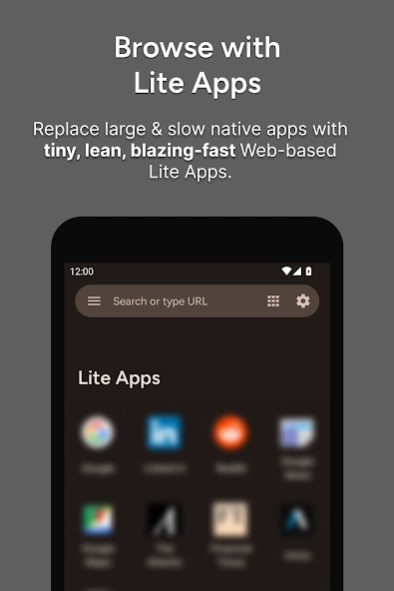
BETTER THAN NATIVE APPS • Lite Apps take up almost no space, best for low storage devices • They don’t run in the background, which saves battery • User Scripts
BETTER THAN NATIVE APPS
• Lite Apps take up almost no space, best for low storage devices
• They don’t run in the background, which saves battery
•
User Scripts : Run your own custom extension scripts!
•
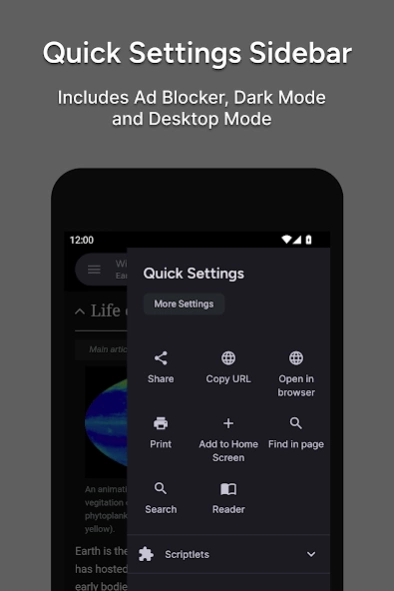
Content Blocker : Block ads, malware, misinformation, & targeted propaganda. Built-in & customizable: You can pick what to block.
BETTER THAN TRADITIONAL BROWSERS
COMPARE HERMIT WITH TRADITIONAL BROWSERS
https://hermit.chimbori.com/features/compare
• Each Lite App opens in its own permanent window, not a new browser tab each time
• Links clicked in other apps can be opened directly in Hermit Lite Apps
• Settings, permissions, themes & icons are saved separately for each Lite App
• Share links from other Android apps to your Lite Apps
SANDBOXES: MULTIPLE PROFILES / CONTAINERS
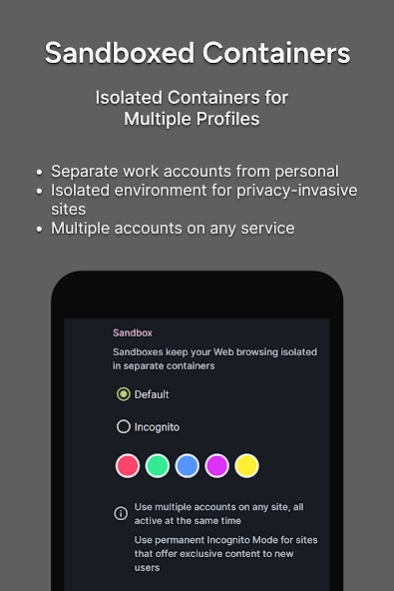
Hermit is the only Android browser with Sandboxes: Isolated Containers with Multiple Profiles.
• Sandboxes keep your Web browsing isolated in separate containers
• Use multiple accounts, all active at the same time, in the same browser
• Keep work accounts and personal accounts separate
• Ideal for privacy-invasive social sites
• Use permanent Incognito Mode for sites that offer free content to new users
ADVANCED BROWSER FOR POWER USERS
It takes a bit of learning & understanding to use Hermit effectively — We’re here to help!
GETTING STARTED GUIDE
https://hermit.chimbori.com/help/getting-started
HELP ARTICLES & FAQ
https://hermit.chimbori.com/help
PRIVACY + NO ADS = PAID PREMIUM
Thanks for supporting the active development of a privacy-friendly app designed for power users like you!
• To continue investing in new features for many years, we charge money for our apps.
• Unlike other browser makers, we are not in the business of selling ads or your personal information.
• No advertisements, no personal data collection, no behavior tracking, no shady SDKs in any of our apps.
• Most features can be used for free!
ADVANCED BROWSER FEATURES
•
USER SCRIPTS : Run your own custom extension scripts!
•
READER MODE : Article extraction is done on-device to protect your privacy
•
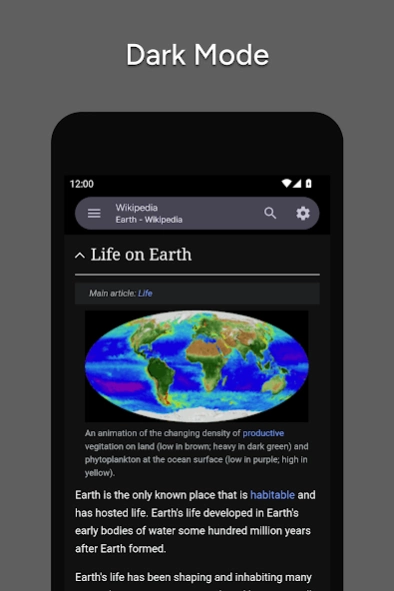
DARK MODE : Great for late night reading!
•
FAST & PRIVATE : Browse fast by blocking advertisements and other harmful content that slows down your phone.
•
MULTI WINDOW : Use two Lite Apps at once on supported devices
•
DOUBLE BACK : Ever got stuck because the back button takes you to the same page? Try Hermit’s Double Back feature!
•
BACKUP YOUR LITE APPS : Custom backup solution when moving between devices
•
CUSTOM USER AGENT : Mobile, Desktop, or any other custom user agent
•
ATOM/RSS FEED NOTIFICATIONS : Get immediately notified when a web site publishes new content.
•
WEB MONITORS : Feeds not supported? Hermit can monitor any specific part of any web page & notify you when it changes.
UNLIMITED CUSTOMIZATION
No other browser lets you customize so many settings!
•
CUSTOM ICONS : Pick any icon for your Lite Apps, or create a custom monogram!
•
CUSTOM THEMES : Create your own themes for any site
•
TEXT ZOOM CONTROLS : Change and save text zoom settings individually for each Lite App
•
DESKTOP MODE : Load desktop sites instead of mobile sites
•
FULL SCREEN MODE : Focus on your content, no distractions
•
CUSTOMIZABLE CONTENT BLOCKER can block ads, malware, & misinformation. You pick what to block.
NEED HELP? SEEING AN ISSUE? CONTACT US FIRST.
We are here to help you! But we cannot help you through reviews, because they don’t include enough technical details.
Contact us through the app, and we’ll make sure you are happy!
Previous Versions
Here you can find the changelog of Hermit — Lite Apps Browser since it was posted on our website on 2016-10-04 08:59:00.
The latest version is 26.2.1 and it was updated on 2024-04-19 18:57:27. See below the changes in each version.
Hermit — Lite Apps Browser version 26.2.0
Updated At: 2024-02-11
Changes: Pixel users: update to Android 14 to reduce crashes & freezes (Google has fixed the issue!)
– Select whether to open downloaded files when ready
— 10 sandboxes instead of 5! Create more containers as your needs grow
— Create new Lite Apps by copying an existing one as a template
— Enable UserScripts in Incognito Mode
— Install UserScripts from a Library in the app, or by opening `.user.js` files– Search for Lite Apps in Library by name
Hermit — Lite Apps Browser version 26.0.0
Updated At: 2023-11-07
Changes: — 10 sandboxes instead of 5! Create more containers as your needs grow
— Create new Lite Apps by copying an existing one as a template
— Enable UserScripts in Incognito Mode
— Install UserScripts from a Library in the app, or by opening `.user.js` files
– Reader Mode button shows up for even more articles
– Search for Lite Apps in Library by name
– Downloaded files open automatically when ready
— Restore option to Sort Lite Apps alphabetically
Hermit — Lite Apps Browser version 25.2.2
Updated At: 2023-09-29
Changes: - Install UserScripts from a Library included within the app.
- Each Premium feature is now available for purchase separately (in addition to the complete Premium Bundle).
- Bookmarklets (with .js extension) are now separate from UserScripts (with .user.js extension).
- Settings have been rearranged to be easier to locate.
- Better Reader Mode article parsing.
Hermit — Lite Apps Browser version 25.0.4
Updated At: 2023-09-07
Changes: Install & run your own UserScripts: modify any website, make the Web yours! One of our most-requested features is now available: try it out and send us feedback (always via the app).
Hermit — Lite Apps Browser version 24.1.2
Updated At: 2023-07-13
Changes: - ✨ Larger home-screen icons on modern Android versions (new API, no more white background).
- ℹ️ To remove the Hermit branding that Android adds, see https://hermit.chimbori.com/features/icons
- 🛡️ “Remove Tracking” is now called “Tracking Protection” to clarify that this is about websites tracking you, not this app.
- 🐞 Fixed bug where unchecking all Content Blocker lists would incorrectly show that a refresh was necessary.
Hermit — Lite Apps Browser version 24.1.1
Updated At: 2023-05-08
Changes: - Enable or disable Hardware Acceleration in Settings → Lite Apps. This may be helpful in reducing crashes on Pixel devices, until Google fixes the root cause. (Read more: https://chimbori.com/updates/elevated-crash-rate-on-google-pixel-devices)
- You can now create multiple Share targets for each Lite App
Hermit — Lite Apps Browser version 24.0.0
Updated At: 2023-04-05
Changes: Fixes issue with Content Blocker lists being enabled/disabled correctly.
Hermit — Lite Apps Browser version 20.2.0
Updated At: 2022-03-29
Changes: Hermit is a browser, it’s in the app name! Don’t just post reviews saying it’s a browser! 😎 https://hermit.chimbori.com/features/compare
- Better support for Gesture Navigation: Turn off Swipe Gestures & Bottom Toolbar in the app.
- Early Access Program has been terminated: https://hermit.chimbori.com/early-access
- Downloads: Better support for correcting/fixing filenames & extensions from a wider variety of servers.
Hermit — Lite Apps Browser version 19.13.0
Updated At: 2022-03-06
Changes: Hermit is a browser, it’s in the app name! Don’t just post reviews saying it’s a browser! 😎
- Everyone hates subscriptions, and we’re terminating the Early Access Program.
Read more: https://hermit.chimbori.com/early-access
Hermit — Lite Apps Browser version 19.12.1
Updated At: 2022-02-21
Changes: Hermit is a browser, it’s in the app name! Don’t just post reviews saying it’s a browser! 😎
- Better support for correcting/fixing filenames & extensions from a wider variety of servers.
Hermit is better than traditional browsers & native apps, see why: https://hermit.chimbori.com/features/compare
Disclaimer
Official Google Play Link
We do not host Hermit — Lite Apps Browser on our servers. We did not scan it for viruses, adware, spyware or other type of malware. This app is hosted by Google and passed their terms and conditions to be listed there. We recommend caution when installing it.
The Google Play link for Hermit — Lite Apps Browser is provided to you by apps112.com without any warranties, representations or guarantees of any kind, so access it at your own risk.
If you have questions regarding this particular app contact the publisher directly. For questions about the functionalities of apps112.com contact us.